Don't miss our holiday offer - up to 50% OFF!

ETZIN Video Capture Cards 4k, HDMI Video Capture Card USB 2.0 HD 1080P Capture Adapter Directly to Computer for Gaming, Streaming, Teaching, Video Conference, Live Broadcasting EPL-813HVC



Price: ₹1,999 - ₹357.00
(as of Dec 04, 2025 17:45:23 UTC – Details)
Product Description

Etzin Audio Video Capture Cards an capture both HDMI video and HDMI audio, sending audio and video signals to computers and smart phones for preview and storage.
Suitable for high definition acquisition, teaching recording, medical imaging, etc.
Connection and Operation:
1. Connect the UHD signal source to the HDMI input of the video capture with one HDMI cable.
2. Connect the computer to the USB port of the video capture with the USB cable.
3. Operation steps for USB video capture(OBS): Open the software→Choose sources of “Video capture Device”→Set the size of the image→Choose “Studio Mode”(double window) →Choose “Start Recording”

4k Video Capture supports to capture both HDMI videos and HDMI audios, sending audio and video signals to computers and smart phones for preview and storage.
Advantages:
Audio Video Capture Card: 4K HD input, 1080p HD output. No delay.Suitable for high definition acquisition, for streaming, live broadcasting, video conferencing and gaming.Video capture cards can share content in conference rooms and online meetings via software OBS.Easy to use, NO driver and external power required, easily connect your DSLR, camcorder.
Features
* Support input max resolution 4K & output max resolution 1080P;
* Support 8/10/12bit deep color;
* Support AWG26 HDMI standard cable: input up to 15 meters, (1080P and below resolution);
* Video output format: YUV / JPEG; Support audio format: L-PCM
* Max working current: 0.4A/5VDC
* Operating Temperature range: (-10 to +55℃)
* Dimension (L x W x H): 64x28x13 (mm); Weight: 21.4g

PLUG AND PLAY
The capture card doesn’t need any extra drivers to function. It can be plug-and-play for most third-party software, for Windows, for Ma OS X, and for Linux.

HIGH DEFINITION 1080P 30fps
Video capture – supports input max resolution 3840×2160@30Hz, output max resolution. 1920×1080@30Hz. Record high definition 30 fps videos directly in your hard drive with no delay. It also support 60fps on 720p.

WIDE COMPATIBILITY
Works with most device, such as PC,Laptop. Linux System, Mac,Camera. Works with ZOOM,OBS,XBOX,Youtube,Face Live, Twitter, Twitch and more

In the red arrow column, select “USB Video” and the current audio and video capture. As shown in Figure 1-1.

A. Custom Resolution: The Resolution/FPS Type column is set to custom. As shown by the white arrow in Figure 2-1.
B. Set Resolution: Select the appropriate resolution at the up and down arrows on the far right of this column. As shown by the yellow arrow in Figure 2-1.
C. Set FPS : Select the appropriate frame rate at the up and down arrows on the far right of this column. As shown by the red arrow in Figure 2-1.

A. Select the “Output Desktop Audio” item at the up and down arrows on the far right of the “Audio Output Mode” column.As shown by the red arrow in Figure 3-1.
B. Mark the “√” in the red box. As shown below:
C. Select the MIC input of the collector at the up and down arrows on the far right of the “Audio Device” column. As shown by the yellow arrow in Figure 3-1.
The OBS is set up and it can be used normally.

The video capture can capture both HDMI video and HDMI audio.
Sending audio and video signals to computers and smart phones for preview and storage.
Suitable for high definition acquisition, teaching recording, medical imaging, etc.
HDMI resolution: Max input can be 3840×2160@30Hz
Video output resolution: Max output can be 1920×1080@30Hz

SHARE CONTENT ONLINE
Share presentations without software by connecting a tablet or laptop via the HDMI port to begin. Share content in online meetings, teaching sessions, and seminars

PORTABLE AND COMPACT
The video capture card can capture the video from the camera in the operating room, capture the entire video during the operation, and then transfer it to the local computer for storage.

HOW TO CONNECT
1: Your video source must have an HDMI output port.
2: HDMI output of video source Connect to HDMI input of capture card
3: Connect the USB port of the capture card to the PC.
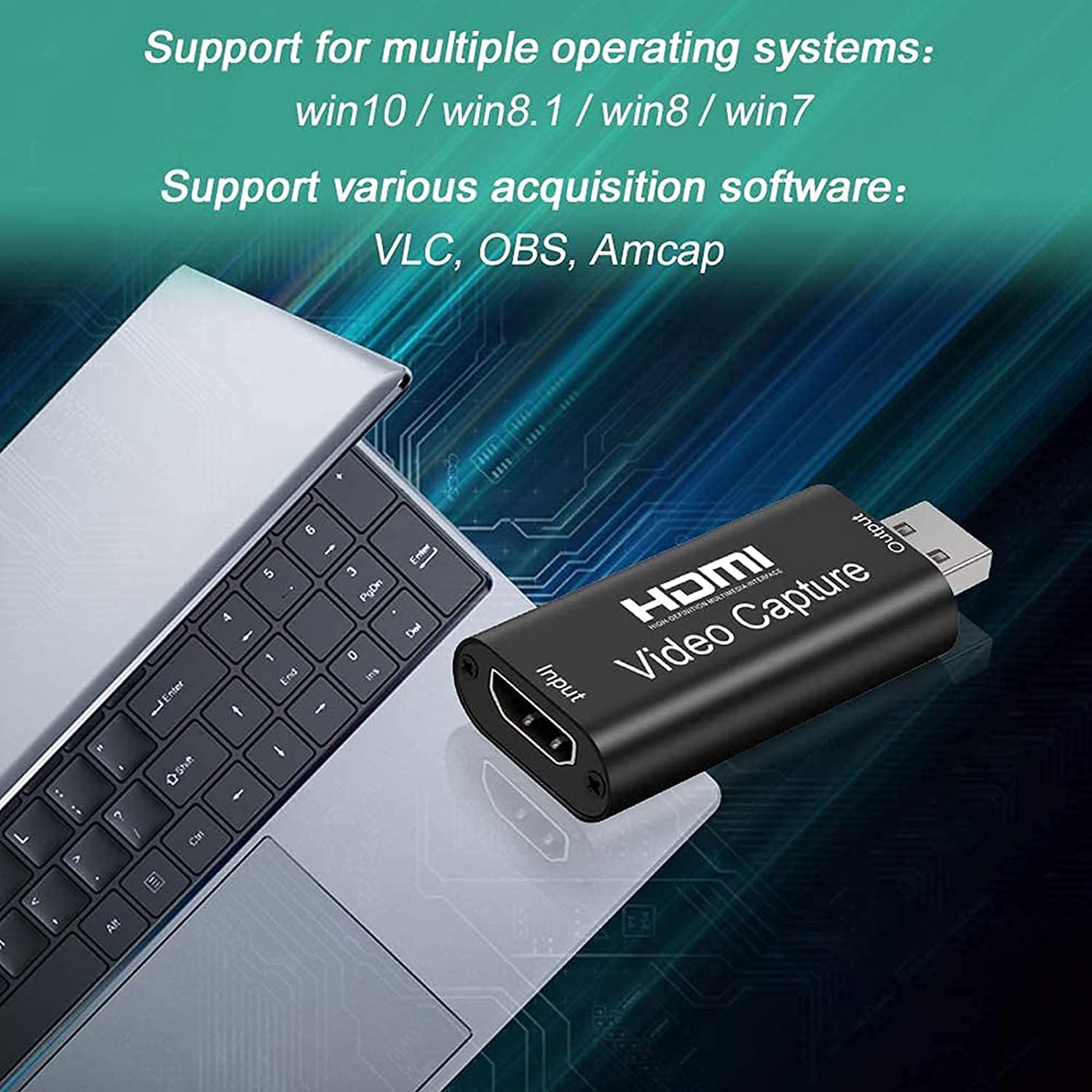
4: Select live broadcast software. Such as VLC, OBS, Amcap, etc
5: Start your live broadcast.
6:Note Capture audio: OBS audio output mode must be set, otherwise there will be no sound output.
Add to Cart
Add to Cart
Add to Cart
Add to Cart
Add to Cart
Customer Reviews
3.1 out of 5 stars 78
3.4 out of 5 stars 88
3.6 out of 5 stars 10
5.0 out of 5 stars 1
1.0 out of 5 stars 2
Price
₹944.00₹944.00 ₹672.00₹672.00 ₹1,499.00₹1,499.00 ₹2,499.00₹2,499.00 ₹2,399.00₹2,399.00
PC Hardware Interface
USB3.0 USB3.0 USB3.0 + HDMI USB3.0 + HDMI USB3.0 + HDMI
Refresh Rate
1080p 60fps Capture 1080p 60fps Capture 1080p 60fps Capture 1080p 60fps Capture 1080p 60fps Capture
Maximum input resolution
4K 60Hz 4K 60Hz 4K 60Hz 4K 60Hz 4K 60Hz
Material
Aluminum Aluminum Aluminum Aluminum Aluminum
Support acquisition software
VLC, OBS, Amcap, etc VLC, OBS, Amcap, etc VLC, OBS , Amcap, etc VLC, OBS 、Amcap, etc VLC, OBS, Amcap, etc
Operating System
Windows 7,8,10,11,X Mac OS 10.9 or later, Linux,Android 8 or later. Windows 7,8,10,11,X Mac OS 10.9 or later, Linux,Android 8 or later. Windows 7,8,10,11,X Mac OS 10.9 or later, Linux,Android 8 or later. Windows 7,8,10,11,X Mac OS 10.9 or later, Linux,Android 8 or later. Windows 7,8,10,11,X Mac OS 10.9 or later, Linux,Android 8 or later.
【HD 1080P Video Recording】The video capture cards is up to 4K@60Hz High Definition Input, output max resolution 1920×1080@30Hz. Offer 1080P 30fps High Quality Recording and live steaming .The audio video capture card is very suitable for living games, Recording, editing and transferring games in high resolution of 1080p @ 60fps on OBS, AMCap, Xsplit, VCL and More.
【HDMI Video Capture Card】: The video capture is a fast, familiar and economical way to share content in conference rooms and online meetings. Connect to presentations without software, just connect to a laptop or tablet via the capture card and cable to start sharing. And makes the live streaming, sharing and recording simple & fast.
【Plug And Play】: As a portable plug & play video capture card, it can be used without drivers and external power supply. so you can use the built-in functions of the current software to get a seamless experience. And the capture card is small size & easy to carry, no problem for outdoor and indoor live broadcasting. Besides, it weighs only about 30 grams, providing you with great portability.
【Suitable for All Occasions】: The Video capture card can capture video and audio simultaneously and transmit audio and video signals to computers or smartphones for preview and storage. Thus This video capture card is suitable for HD acquisition,teaching recording,game capture,live streaming,medical imaging, online meetings etc. Easy to carry,compact and portable, without external power supply.You can enjoy much clear video for your recording, live streaming etc.
【Wide Compatibility】: This gaming capture card compatible with Windows, Mac OS, and Linux systems, The USB3.0 high-speed transmission port makes it easier for you to have real-time streaming on Twitch, YouTube, OBS, Potplayer, VLC, etc. It is suitable for devices such as devices for PS4, for Xbox one and for Switch. Besides, capture card no driver or external power supply, easy operation, Real-time preview, record videos directly to the hard disk no lag.
Customers say
Customers find the video capture card’s picture quality very good and appreciate its usefulness, with one mentioning it works well as a phone portable monitor. However, the functionality receives mixed feedback – while some consider it a good quality product, others report it doesn’t work. Moreover, the connectivity and compatibility are problematic, with multiple customers reporting connection issues and noting it’s not compatible with live streaming and Fire Stick devices. Additionally, customers disagree on the value for money, with some considering it a waste of money.