Don't miss our holiday offer - up to 50% OFF!

Wefly AL14A32 Laptop Battery Compatible for Acer Aspire E5-572 E572G E5-571 E5-531 E5-511 E5-471 E5-421 V3-472 V3-572 V3-572 V3-572G Series, Travelmate P246-MG P256-MG Laptop Battery




Price: ₹2,499 - ₹1,479.00
(as of Nov 12, 2025 18:48:58 UTC – Details)
Product Description
Welcom to WeFly Laptop Battery

High Performance Laptop Batteries
Our laptops have become essential to how we do business, communicate with friends, shop online and many more. That’s why you need to treat your machine with WeFly high performance laptop batteries – batteries you can count on, batteries that can keep up with you and your schedule. Our laptop batteries are constructed to meet or exceed OEM specifications for safety and efficiency, yet we still managed to create an economical alternative to expensive OEM batteries. Packed with a ton of safety features – When it comes to laptop batteries – WeFly is your best bet!

Acer AL14A32 31CR17/65-2 KT.00603.008 Notebook Battery
Acer Aspire E5 E5-411 E5-411-P137 E5-421 E5-421G
Compatible Part Number:AL14A32, KT.00603.008, 3ICR17/65-2Compatible Model:for Acer Aspire E14, E14 Touch Series, Aspire E15, E15 Touch Series Aspire E5-421 Series Aspire E5-572G, E5-572G-593Y Series Extensa 2509, EX2509 Series Extensa 2510, EX2510 Series Extensa 2510G, EX2510G Series
Acer Aspire E5 E5-411 E5-411-P137 E5-421 E5-421G E5-471 E5-471G E5-471PG E5-511 E5-511G E5-511P E5-521 E5-521G E5-531 E5-551 E5-551G E5-571 E5-571G E5-571P E5-571PG E5-572 E5-572G V5-572 V5-572G V5-572P V5-572PG, Aspire V3 V3-472 V3-472G V3-472P V3-472PG V3-572 V3-572P,
Aspire E14 E15 Touch, Travelmate P246 P246-M P246-MG P246M-M P246M-MG P246-MG P256 P256-M P256-MG P276 P276-M P276-MG TMP246 TMP246-M TMP246-MG TMP256 TMP256-M TMP256-MG TMP276 Laptop Battery.
Overload protection Over-current protection Over-voltage protection High voltage protection Short circuit protection Over-temperature protection Safe use anytime, anywhere
Compatible Model: Acer Aspire E5 E5-411 E5-411-P137 E5-421 E5-421G E5-471 E5-471G E5-471PG E5-511 E5-511G E5-511P E5-521 E5-521G E5-531 E5-551 E5-551G E5-571 E5-571G E5-571P E5-571PG E5-572 E5-572G V5-572 V5-572G V5-572P V5-572PG, Aspire V3 V3-472 V3-472G V3-472P V3-472PG V3-572 V3-572P, Aspire E14 E15 Touch Laptop.
For Model: Acer Travelmate P246 P246-M P246-MG P246M-M P246M-MG P246-MG, Travelmate P256 P256-M P256-MG, Travelmate P276 P276-M P276-MG, Travelmate TMP246 TMP246-M TMP246-MG TMP256 TMP256-M TMP256-MG TMP276 TMP276-M TMP276-MG P256-M-39NG Notebook PC.
Compatible P/N: AL14A32, 31CR17/65-2, KT.00603.008.AL14A32 Laptop Battery KT.00603.008

Acer AL14A32 Aspire E5-511 Aspire E5-511P Aspire E5-521 Aspire E5-521G Aspire E5-531 Aspire E5-551 Aspire E5-551G Aspire E5-571 E5-571G
Replace Part Number: – AL14A32 – 31CR17/65-2 – KT.00603.008 Fit for: – Acer Aspire E1-571, E1-571G, E5-411, E5-421, E5-421G, E5-471, E5-471G, E5-511, E5-511G, E5-511P, E5-521, E5-521G, E5-531, E5-551, E5-551G, E5-571, E5-571G, E5-571P, E5-571PG, E5-572, E5-572G, V3-472, V3-472G, V3-572, V3-572G, V3-572P, V3-572PG , V5-572, V5-572G, V5-572P, V5-572PG. – Acer Extensa 2509, 2510, 2510G. – Acer TravelMate P256-M

Grade A++ Cells
Charges Quickly
Longer Lasting Time Steady Output
Lower Power Consumption
More than 500 Times Recycle
Durable Usage and Safety

Install A New Battery
1, You need to turn off your laptop and disconnect the power.
2, Disconnect the connection between the old battery and the motherboard to avoid unnecessary damage caused by disassembling the battery. Then unscrew the old battery screws one by one and carefully save each screw.
3, Remove the old battery, carefully install the new battery on the battery case, screw in the screw, and connect the wiring of the new battery.
4, If you don’t understand the above steps, you can search for the video about laptop battery

How to use battery for the first time?
1. Discharge the new battery use to 5%(not to 0%) and then charge to 95%, and cycle 3-7 times.
2. Do not disassemble, crush or puncture. Do not dispose of in fire or water.
3. If you remove the battery for a long time, charge more than 80% at least one time within one month.
4. Don’t connect the adapter for a long time while using the battery. It may damage the battery.
5. When using the battery, should be taken to prevent exposure and moisture

How to maximize battery life?
1. Change your laptop power plan settings, choose the power saver plan. Then Change advanced power settings, scroll down to find Processor power management. Click the On-battery option and reduce the processor state to 20%.
2. Always keep your laptop neat and clean. The dust easily enters the hardware through the vents which are meant to release the heat generated from various computer components.
Close Wi-Fi, Bluetooth, and other settings. This can help your computer save precious battery

ENHANCED IC
Built in smart control chip conveniently offers Quicker charging, lower power consumption and longer discharge time.

Built To Perform
We’ve incorporated Grade A battery cells to ensure longer battery life and durability

How to wake up the battery?
A. Disconnect all external devices from your laptop.
B. Remove the battery.
C. Press the power switch to shut down
D. Plug in the battery and restart the computer.
E. Connect the adapter to see if the battery is working properly

Top Quality Battery Cells
As laptop battery users ourselves, we wanted to deliver a battery that doesn’t only only last long, but also safe for use. We’ve incorporated Grade A WeFly battery cells to ensure longer battery life, durability, and lower power consumption. All of our batteries offer 1000+ recharge cycles over life of battery
1. New battery received, please discharge to roughly 10% ~ 20%, then charge it to full. Repeat 3 ~ 5 times to maximize initial battery performance. ( Usually the battery received with about 50% charged )
2. Do not discharge to 0%, it may damage the battery cells and accelerates the aging of battery. ( When the battery is very low, the laptop may suddenly shut down )
3. After the battery power is exhausted, please charge in time, if not charged for a long time, it may lead to battery damage
4. If you plan not to use your laptop for a long time, you need to charge it to more than 70% for storage, and the best storage time is no more than 3 months
5. If you often connect the charger to use the laptop, please use the battery power regularly, more than once a week
6. Please use the original charger or well-known brand charger, inferior charger will affect the normal charging of the battery
7. Regularly clean fan dust to increase heat dissipation and reduce power consumption, which can effectively extend the battery life
8. Percentage of remaining battery and estimate time may fluctuate up and down during battery discharge according to your operating of different software, this is normarl condition. Please pay attention to the actual use time is in the normal range
Reasons and solutions for laptop not recognizing battery
1. Could be caused by battery loose. Remove the battery and try to reinstall, make sure the connector is tighly connected ( Most batteries won’t charge, you can try reinstalling the battery first )
2. May be due to conductive material damaged which the laptop motherboard and battery anode and cathode contact position, you can try to confirm it with your original battery
3. Check whether the battery drive is in normal condition, if not, download the corresponding driver software to update
4. Take out the battery and press the power button for about 15 seconds to consume the internal residual power (Do not connect the power cord), and then reinstall the battery. You can try several times
Installation Suggestion
1. Battery installation is easy, but we also recommend you to learn related installation video on the web in advance, or just find a repair technician for help
2. Please be careful when install battery. Any damage caused by improper operation will be your own responsibility, hope understand. ( Pay particular attention to the battery connector slot on the laptop’s motherboard, don’t push too hard )
3. If the battery can’t be charged for first installation, please try: Take out the battery and press the power button for about 15 seconds to consume the internal residual power (Do not connect the power cord), and then reinstall the battery. You can try several times.
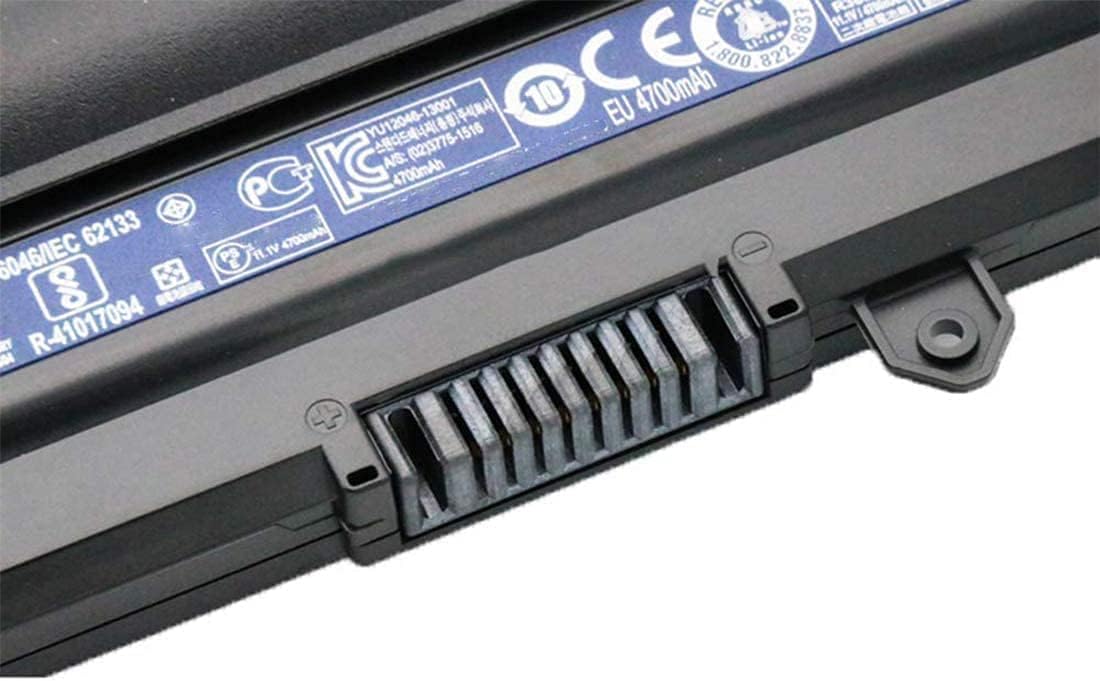
Battery type: Li-ion Capacity: 4400mAh Voltage: 10.8V
Compatible P/N: AL14A32, 31CR17/65-2, KT.00603.008
Compatible Model: As pire E5-411 E5-421 E5-421G E5-471 E5-471G E5-471PG E5-511 E5-511G E5-511P E5-521 E5-521G E5-531 E5-551 E5-551G E5-571 E5-571G E5-571P E5-571PG E5-572 E5-572G E5-572G-593Y, Aspire V3-472 V3-472-57M0 V3-472G V3-472P V3-472PG V3-472P-324J V3-572 V3-572G V3-572P V3-572PG Laptop.
Compatible Model: For Travelmate P246 P246-M P246-MG P246M-M P246-MG TMP246 TMP246-M TMP246-MG, Travelmate P256 P256-M P256-MG TMP256 TMP256-M TMP256-MG, Travelmate P276 P276-M P276-MG TMP276 TMP276-M TMP276-MG Laptop.
12 Months replacement warranty